Rep Counter: How Automatic Counting Works (2026 Guide)
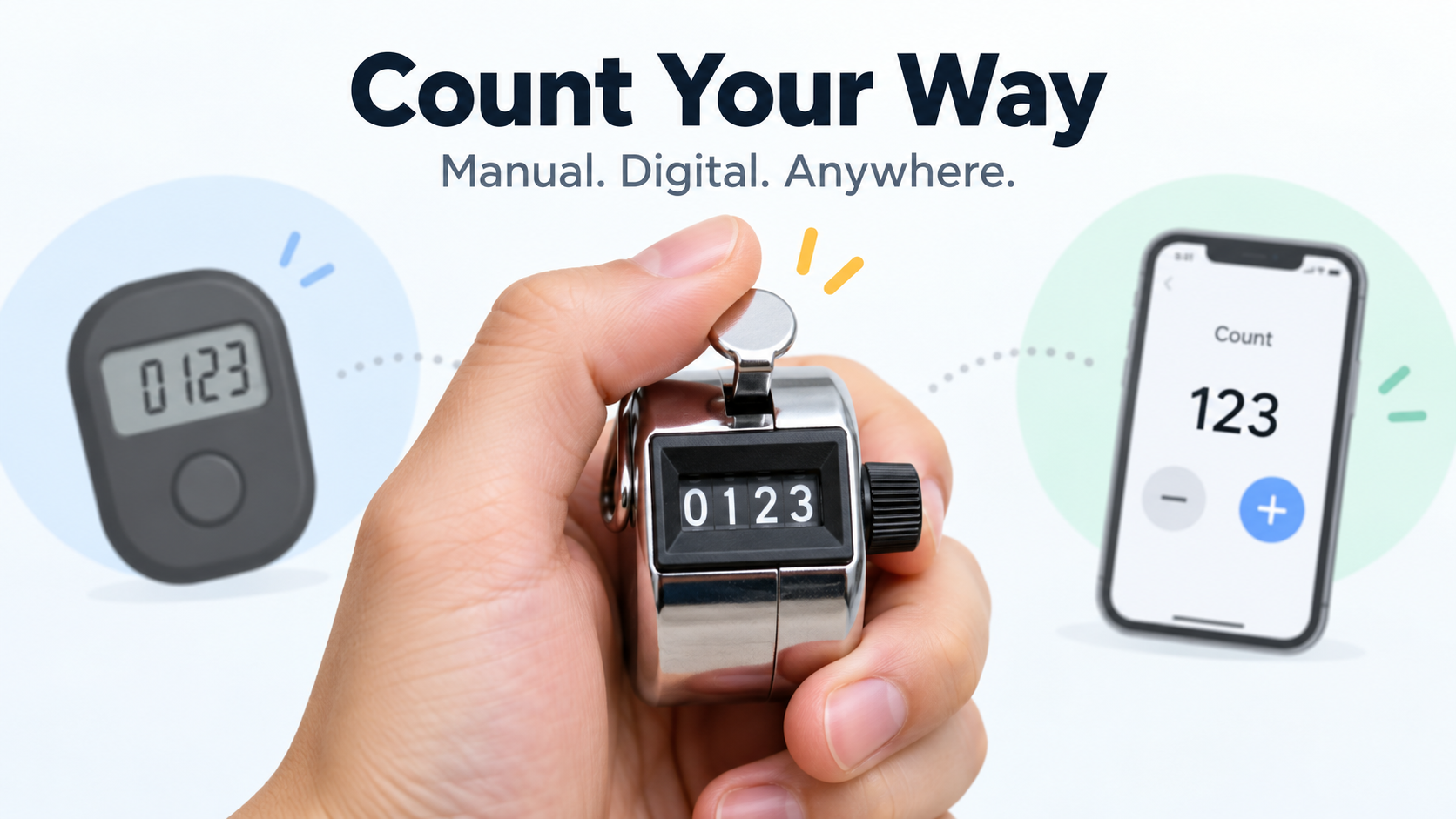
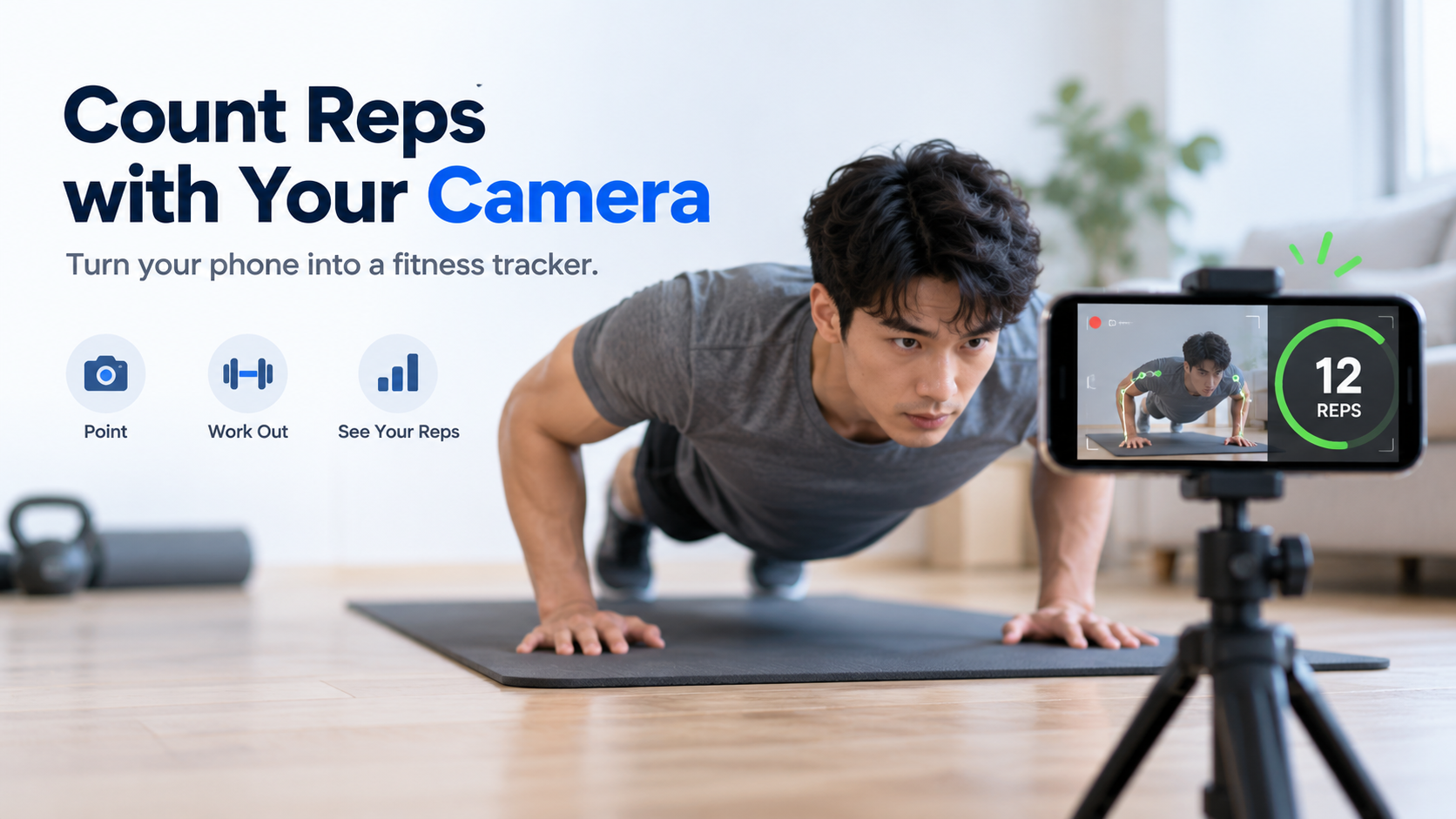
A rep counter automatically tracks your repetitions during a set. In 2026, the leading options are camera-based iPhone apps such as RepCount and Push Up Counter. They follow your body on-device, count only full reps, and need no wearable or sensor.
If you actually searched for “Rep.” seat counts, the CSS counter-reset property, or a WoW reputation boost, jump to the disambiguation section below—this guide points each of those intents to where it belongs.
What Is a Rep Counter—and What Is It Actually Counting?
In a fitness context, a rep counter is a tool that automatically records how many repetitions you complete in a set. In 2026, the mainstream form factor is a phone app that uses the device camera rather than a wearable, a sensor, or a smart mat. Push Up Counter describes its own product the same way: it “turns your iPhone into a hands-free rep counter,” with “no wearables, no tapping between reps.”
The core question a rep counter answers is narrow and specific: how many did I just do? That matters because counting in your head drifts, and a partner counting out loud is not available to most people training at home. Moving the count to software returns attention to the set itself—pace, depth, and whether your hips held position.
Three things define the category as it stands today:
- A primary movement is counted. Camera apps in the current market are built around one flagship exercise, most often the push-up.
- Counting is automatic. The app advances the number when it sees a completed repetition, not when you tap.
- Form is part of the count. A repetition that does not meet a depth or alignment threshold is typically rejected rather than added to the total.
“Rep Counter” vs. Three Other Meanings of “Rep”
The phrase “rep counter” competes with at least three unrelated intents, and it is worth routing them explicitly.
Politics. In political coverage, “Rep.” is the abbreviation for Representative, a member of the U.S. House. A “rep counter” in that context is a tally of House seats. According to the House Press Gallery, the 119th Congress stands at 218 Republicans, 214 Democrats, one Independent, and two vacancies—the vacancies following the resignations of Rep. Tony Gonzales (R-TX) on April 14, 2026 and Rep. Sheila Cherfilus-McCormick (D-FL) on April 21, 2026.
CSS. The counter-reset property creates and initializes named CSS counters; it has been baseline-available across browsers since July 2015, per MDN Web Docs. Counterintuitively, it is counter-set, not counter-reset, that resets the value of an existing counter.
Gaming. A “rep boost” in World of Warcraft refers to paid reputation farming. One vendor, Gamingcy, sells a Consortium reputation boost from $19 with a stated ETA of 7–21 days.
This guide covers only the fitness meaning.
How Does Automatic Rep Counting Actually Work? Camera, Sensor, and Manual Compared
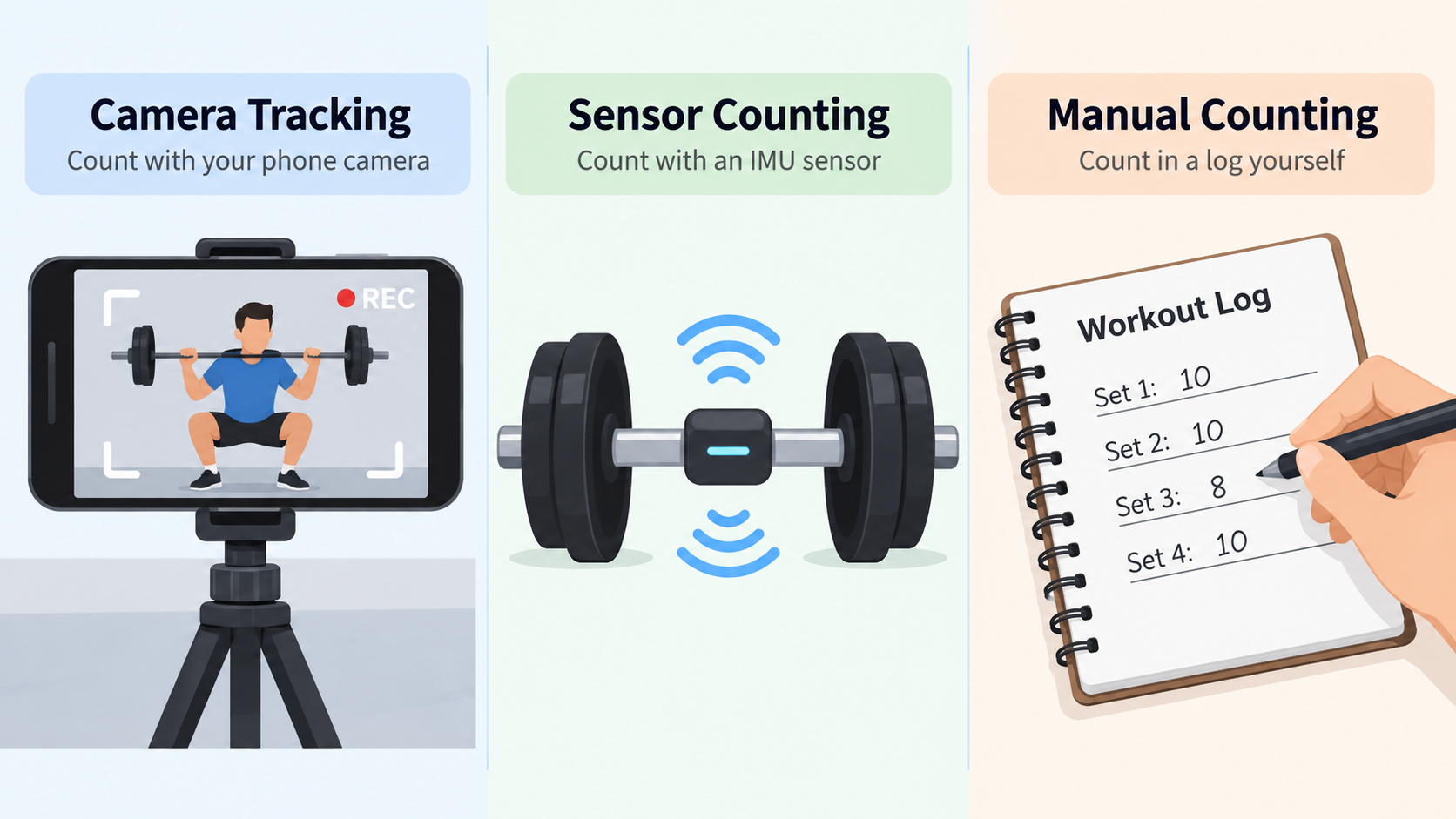
Automatic rep counting is not one technology. There are three distinct paths, and the differences between them explain almost everything about which one works where.
Camera-Based Pose Tracking: Landmarks, Joint Angles, and a State Machine
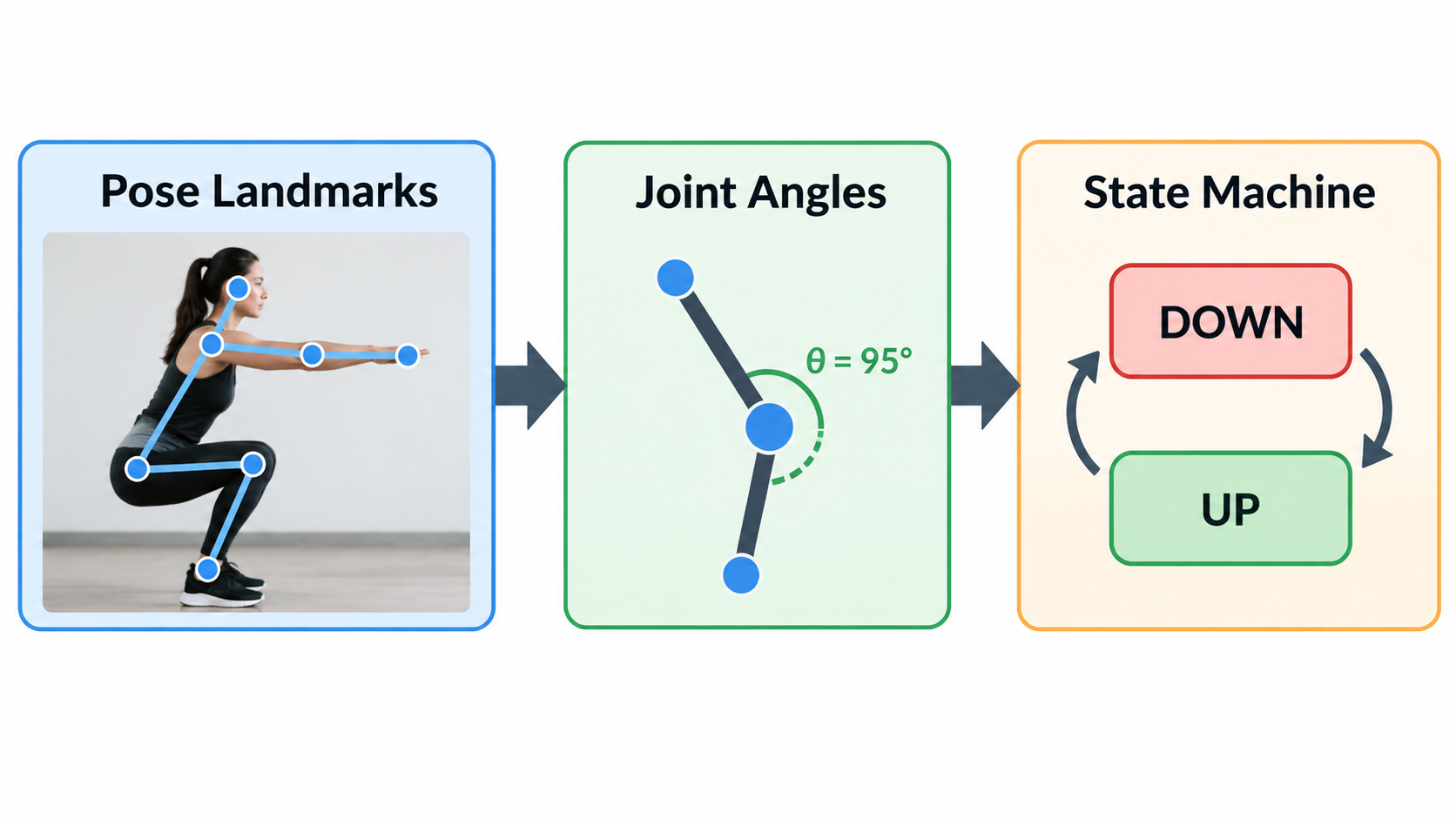
The camera path has three stages. First, a pose model finds body landmarks in each video frame. Second, the system computes joint angles from those landmarks. Third, a state machine decides when a repetition has started and finished.
The landmark models are the same ones used across mobile computer vision. RepCount uses the iPhone’s front camera together with Apple Vision to detect body movement in real time—its product description states it “automatically counts your exercise reps so you can focus on your workout—not the numbers,” with no manual input required.
An open-source project, PushForm, documents the same pipeline in more detail in a GitHub specification. It runs a MediaPipe Tasks Vision pose landmarker on-device—the lite model, with a GPU delegate and CPU fallback, targeting 30 frames per second—and streams 33 landmarks per frame to a backend that computes angles in 2D. Elbow angle is computed for both sides each frame, median-filtered over five frames, and passed through a hysteresis state machine: the phase enters DOWN below 95 degrees and leaves DOWN above 155 degrees, with no transition inside that band. A rep is the interval from entering DOWN to leaving DOWN.
Sensor and IMU Counting: Why It Works on Barbells and Fails on Cables
The sensor path relies on an inertial measurement unit. Acceleration data is integrated to estimate a driving impulse, and thresholds decide when a repetition has occurred. This works on barbells because barbell travel is geometrically predictable.
The failure mode is documented. A BarSpeed issue reports that the impulse counter’s thresholds were “fitted at travelRatio 1.0 and are not converted through the pulley ratio, so on a stack they are applied in the wrong frame.” The measured collapse on paced machine captures was stark: a leg curl set of 10 reps produced 2 calls, a leg curl set of 12 produced 0, a single-leg press set of 8 produced 0, and a pull-up set of 8 produced 0.
Worth noting: the same issue reports that the alternative detector was measured at 108 calls against 253 over the same corpus—so narrowing the gate is not a free win either.
Manual Counting: Still the Only 100% Reliable Option (and Why That’s Fine)
Manual counting remains the correct choice in two situations: movements the camera cannot see clearly, and test sets where you need absolute certainty. A one-tap online rep counter does that job without any camera at all. It is not a failure of the technology. It is the honest answer when the sensor geometry does not match the exercise.
What Counts as a Full Rep? Depth, Lockout, and the Partial Rep Problem
Every automatic counter has to make a judgment call: is this a complete repetition, or is it a half-range wobble? The rules that decide this are where products differ most, and where a counter’s number either means something or does not.
Hard Rules First, Classifier Second: A Layered Form Gate
One public example shows how a layered gate can be built. In the PushForm specification, deterministic hard rules are evaluated at the end of each rep, in a fixed order of precedence:
| Rule | Threshold | Fault label |
|---|---|---|
| Hip sag | mean signed hip deviation below −20° | hip sag |
| Hip pike | mean signed hip deviation above +20° | hip pike |
| Partial range of motion | minimum elbow angle exceeds 110° | partial ROM |
Alongside these, the specification defines timing behavior: a DOWN phase shorter than 400 ms is a Bounce—the phase still changes, but no rep event is emitted. If the smoothed elbow angle stays inside the hysteresis band for more than 1.5 seconds, a stall event fires once and clears when the angle leaves the band. Tracking loss is declared when the tracked side’s elbow landmarks fall below 0.6 visibility for more than five consecutive frames; the machine freezes in its current phase, and the rep resumes when tracking returns.
If no hard rule fires, a trained classifier evaluates the rep’s feature vector—but a fault label is applied only when the predicted probability is at least 0.7. Below that confidence floor, the rep counts. These thresholds come from an individual open-source project, not an industry standard, and are useful as a reference point rather than a prescription.
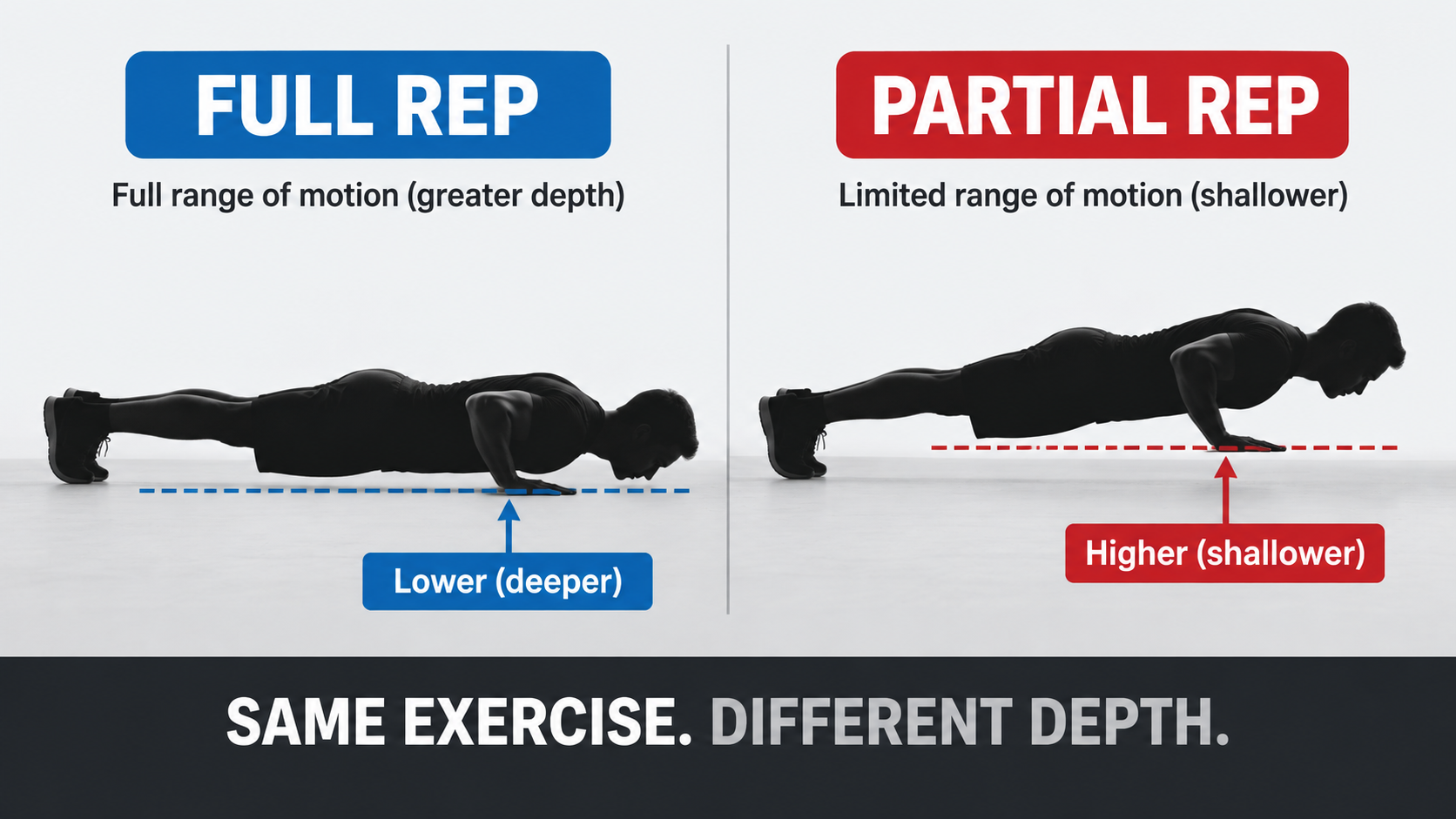
The commercial version of the same philosophy is simpler to state. Push Up Counter says a rep “has to reach depth,” that anything shallower “is recorded as a partial rather than counted,” and that partials “form the denominator of your form score—so the number you finish with is the number you actually earned.”
Why You Can’t Judge Depth From a Front-Facing 2D Pose
A front-facing camera cannot reliably determine how far you lowered your chest—there simply is not enough depth information in a 2D pose from that angle. Push Up Counter addresses this directly: the side view is the position that checks depth, and from a front-facing 2D pose the app “counts reps but leaves the depth verdict to a side view.” If you want depth gating, camera placement is not optional.
Which Exercises Can a Rep Counter Handle—and Which Ones Break It?
This is the question the current market does not answer well. Product pages rarely state which exercises a counter handles and which ones it quietly fails on. The following decision table consolidates what the available evidence supports.
Exercise × Equipment Decision Table
| Exercise / equipment | Recommended counting | Known failure risk | Basis |
|---|---|---|---|
| Push-up (bodyweight) | Camera | Needs a side view for depth; knee push-ups out of scope in PushForm v1 | Push Up Counter, PushForm spec |
| Barbell squat / bench / deadlift | Sensor or IMU | Thresholds fitted to barbell travel; tempo’d sets may not be counted at all | BarSpeed #303 |
| Pull-up (bodyweight + bar) | Unreliable—verify before trusting | 8 performed reps produced 0 calls in measured data | BarSpeed #303 |
| Leg curl (machine) | Manual | 2/10 and 0/12 correctly detected | BarSpeed #303 |
| Single-leg press (machine) | Manual | 0/8 correctly detected | BarSpeed #303 |
| Cable row, face pull, Pallof press | Manual | No rep marks exist in the public corpus to score them | BarSpeed #303 |
Why Cable and Machine Sets Are the Hardest Case
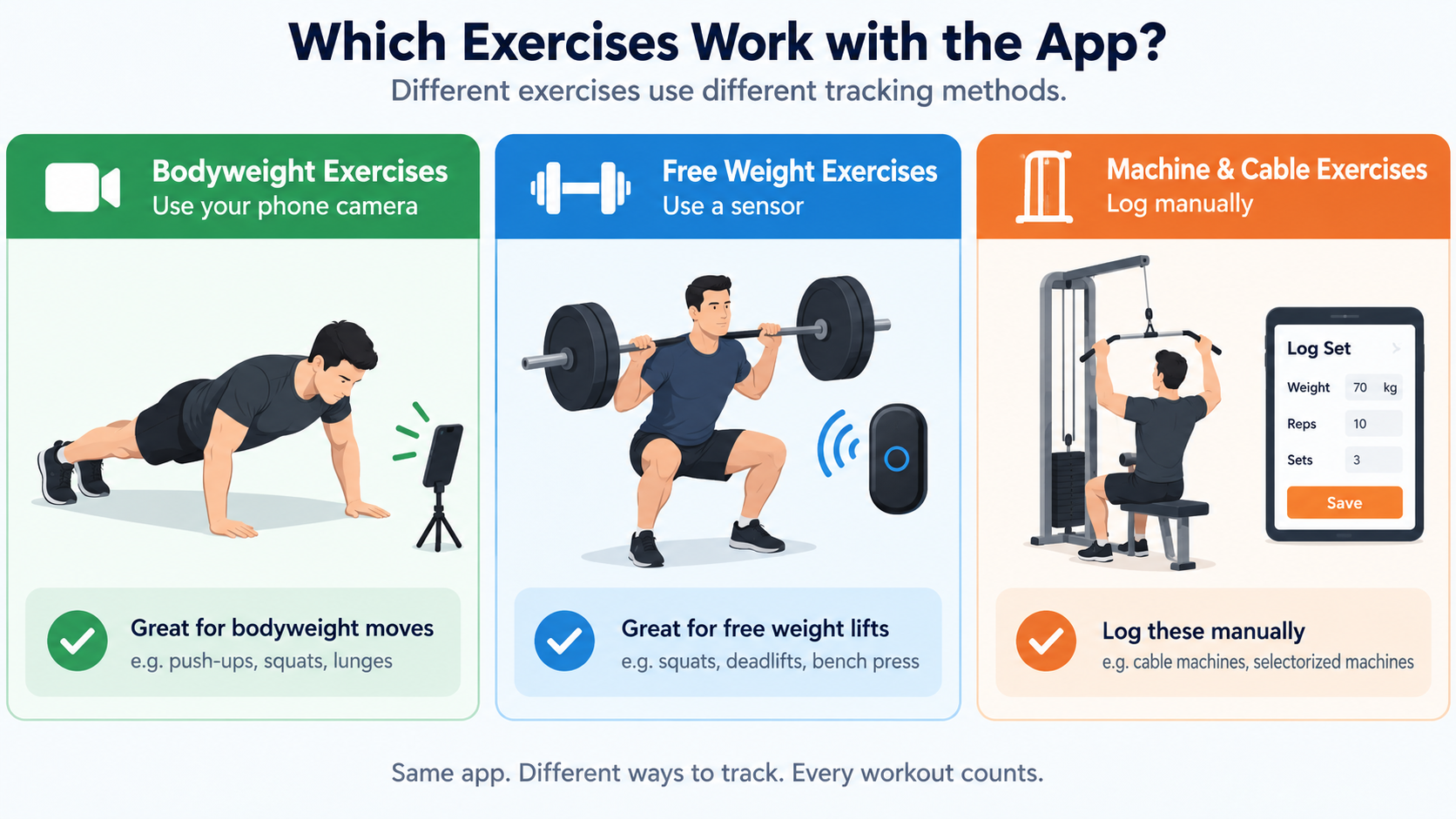
Cables and machines break automatic counting for a structural reason, not a tuning reason. An impulse counter’s thresholds are numbers in a drive frame fitted at a travel ratio of 1.0—the geometry of a barbell moving freely. On a stack, the cable and pulley ratio changes the relationship between how far the handle moves and how far the load moves. Apply barbell-frame thresholds to a stack and they land in the wrong frame.
The pull-up result is the most instructive row in the table. It is a bodyweight movement on a bar, which sounds like an easy case, yet 8 performed reps produced 0 detected calls in the measured set. “Bodyweight plus bar” does not automatically mean a camera counter will handle it either—visibility, occlusion, and the movement path all matter.
The practical conclusion is unglamorous: for cable and machine work, keep logging manually — a manual rep counter is still the reliable tool — until the technology catches up.
Does a Rep Counter Record or Upload Your Workout Video?
For camera-based apps, the privacy dividing line is simple to state: does the video ever leave the device?
The leading products in this category say no. Push Up Counter states that all processing happens on device, that no video is ever recorded or uploaded, that there are no accounts and no ads, and that counting runs offline. RepCount similarly performs detection on-device using the front camera and Apple Vision.
This is a structural advantage of the camera path rather than a marketing choice. Pose inference is light enough to run locally, so there is no technical reason to upload frames to a server for the core counting function. A cloud-dependent design would introduce both latency and a privacy surface that the on-device approach avoids.
Before installing any rep counter app, ask four questions:
- Is video ever stored on the device?
- Is any video or landmark data uploaded?
- Is an account required?
- Does counting still work with the network off?
A camera-based counter that answers “no, no, no, yes” is behaving the way the category’s leading products do.
Sets and Reps: How a Rep Counter Fits Into Your Training Log
The terminology matters because automatic counting has to understand all three terms to be useful.
- Set — a continuous block of repetitions performed without rest.
- Rep — one complete repetition within that block.
- Rest — the interval between sets.
A counter that only knows reps produces a number with no structure. A counter that understands sets can close a set when you stop to rest and open a new one when you start again. Push Up Counter describes exactly this behavior: “Stop to rest and the app closes the set. Start again and it opens a new one—no buttons in the middle of a workout.” The PushForm specification uses the same vocabulary in a defined glossary, distinguishing a Set, a Connection, and a Rep as separate concepts.
Why does set structure matter beyond convenience? Training volume is calculated as sets × reps × load. If set boundaries are wrong, volume is wrong, and every downstream metric built on volume inherits the error. Getting sets and reps correctly segmented is the precondition for any strength-tracking logic layered on top—including estimated one-rep max.
Rep Counter Apps Compared: RepCount, Push Up Counter, and PushForm
Three products illustrate the range of approaches available in 2026.
RepCount is an iOS app that uses the iPhone’s front camera and Apple Vision to detect body movement in real time and count reps automatically, with no manual input. Its framing is about attention: count the reps so you can focus on the workout, not the numbers. Source: App Store listing.
Push Up Counter: Muscles is an iPhone and iPad app built specifically around the push-up. It offers three phone placements—facing you, beside you for a side view, or flat on the floor below your face—counts only reps that reach depth, records shallower attempts as partials that form a form score denominator, groups sets automatically, shows live pace in reps per minute, and includes a six-week program that opens with one max-effort set to set your level. Pricing is a free download with a 7-day trial, after which either a monthly subscription or a one-time lifetime unlock applies. Source: pushupcounter.app.
PushForm is an open-source Python web app documented in a public specification. Version 1 supports standard push-ups only; knee push-ups and any exercise-mode selector are explicitly out of scope, as are front-on or overhead orientations and multi-person tracking. Its value here is transparency: the full decision logic, thresholds, and acceptance criteria are readable. Source: GitHub issue #1.
Pricing models differ meaningfully. Free trial plus subscription suits users who want a maintained product without a large upfront cost. A one-time lifetime unlock suits users who dislike recurring charges. Fully open source suits developers who will self-host. Note that PushForm and BarSpeed are individual GitHub projects—they are not industry standards, and their specifications should be read as documented engineering decisions rather than consensus rules.
How to Choose: Four Questions That Decide It for You
- Which exercise do you actually train most? If it is the push-up, a purpose-built counter will be more accurate than a general one.
- Can you place your phone for a side view? Depth gating depends on it, so if your training space does not allow it, expect counting without depth judgment.
- Does the app promise on-device processing? Confirm this in the privacy policy before installing.
- Which pricing model fits how you train? A subscription is only worth it if you will still be using the app in six months.
Turning Rep Counts Into Progress: e1RM and RPE Baselines
Most of the search results in this space split into two camps: rep counting apps that never mention estimated one-rep max, and 1RM calculators that never mention rep quality. That split is a mistake, because rep quality directly determines how much you should trust an e1RM.
An e1RM is a prediction of the most weight you could lift for a single repetition, based on a submaximal set. Barbell Medicine’s 1RM calculator incorporates RPE into the estimate and notes that “lower-repetition sets, especially sets of 1 to 5 reps performed at higher RPEs, tend to produce more useful 1RM estimates.” The calculator also cautions that e1RM is a ballpark figure, not a prescription: fatigue, technique, range of motion, and day-to-day performance all affect the relationship between a training set and a true 1RM.
The dependency is direct. A set of 5 reps at RPE 9 only estimates your maximum usefully if those 5 reps were full-range. Five partial reps at the same RPE would overstate or understate your capacity depending on how the depth shortfall was scored. This is where rep counting and 1RM estimation connect: accurate counting is the input, e1RM is the output.
For context on what strong looks like, a 2024 analysis of more than 800,000 raw, drug-tested powerlifting competition results reported the following averages, as summarized by Barbell Medicine:
| Lift | Men | Women |
|---|---|---|
| Squat | 2.17× bodyweight | 1.64× bodyweight |
| Bench press | 1.5× bodyweight | 0.95× bodyweight |
| Deadlift | 2.51× bodyweight | 1.98× bodyweight |
For health rather than performance, a dataset of nearly 9,000 men aged 20 to 82 found that a leg press 1RM of 1.9× bodyweight and a bench press 1RM of 1.1× bodyweight were associated with the lowest risk of mortality (underlying study indexed at PubMed 18595904). No equivalent dataset exists for women, but extrapolating from data showing women average roughly 50% of male upper-body strength and 60% of lower-body strength yields targets of about 0.55× bodyweight on bench press and 1.14× on leg press.
The operating order is: get counting accurate and depth-compliant first, then use your cleanest qualifying sets to estimate e1RM, then track e1RM over time.
How to Build Your Own Rep Counter (Developer Path)
For developers, the search results in this space offer scattered GitHub issues and no consolidated path. The following six-step sequence reflects the pipeline documented in the PushForm specification.
- Extract pose landmarks. Run a pose landmarker on-device—in this example, MediaPipe Tasks Vision’s lite model with a GPU delegate and CPU fallback, targeting 30 fps and streaming 33 landmarks per frame.
- Compute joint angles. Calculate elbow angle for both sides every frame. Select the tracked side as the one with higher mean landmark visibility over the last 10 frames, and re-evaluate that choice only while in the UP phase.
- Build a hysteresis state machine. Enter DOWN below 95 degrees, leave DOWN above 155 degrees, and do not transition inside the band. Defaults should be overridable between sets, never during one.
- Apply hard rules. Evaluate deterministic faults in a fixed order—hip sag, hip pike, then partial range of motion—so the system produces form feedback even with no model loaded.
- Add a grey-zone classifier. When no hard rule fires, classify the rep’s feature vector and apply a fault only at or above a confidence floor. The documented floor is 0.7: a stub classifier at 0.69 probability counts, at 0.70 it rejects.
- Deploy on-device. Normalize rep features by torso length so they do not drift with camera distance, and hold the last good angle for five frames when landmark visibility drops before declaring tracking lost.
For measurable acceptance criteria, the same specification targets a macro-F1 of at least 0.85 on stratified cross-validation and at least 0.75 on a held-out collection day, over a dataset of roughly 40 reps per class collected across at least three sessions, two lighting conditions, and both facing directions.
These thresholds come from one individual open-source project. They are a concrete starting point, not a standard you are obliged to meet.
Conclusion
A rep counter in 2026 is genuinely useful—camera-based, on-device, and accurate on full reps—but its value depends entirely on knowing what it can and cannot see. Pick one camera-based app, set your phone at a side angle so depth can actually be judged, and accept that only full reps count toward your total while partials feed your form score instead. Then use your cleanest low-rep, high-RPE sets to estimate e1RM and track real strength progress. For cable and machine work, keep logging manually until the technology catches up.
FAQ
Do I need a wearable or smart mat to use a rep counter?
No. In 2026 the leading rep counters are camera-based phone apps—RepCount and Push Up Counter both work with just your phone’s camera. No wearable, sensor, or smart mat is required. The trade-off is that you need a clear camera angle and enough space in frame.
Does a rep counter count partial reps, and what happens to them?
Most quality apps deliberately do not count partial reps toward your total. Push Up Counter, for example, records anything shallower than its depth threshold as a “partial” rather than a completed rep. Those partials still show up—they form the denominator of a form score—so you can see how many attempts fell short.
Is my workout video recorded or uploaded to a server?
With the leading camera-based apps, no. Processing happens entirely on-device: no video is recorded, nothing is uploaded, no account is required, and the app works offline. Always verify this in the app’s privacy policy before installing, but on-device pose inference is now the norm for this product category.
Can a rep counter track cable, machine or leg-press sets?
Not reliably today. Sensor-based counters tuned to barbell geometry have measured near-total failure on cables and machines—one public dataset showed 2/10, 0/12, 0/8, and 0/8 reps correctly detected across four machine sets. Camera-based counting needs a clear side view and may struggle when the body moves with the cable path. For now, manual logging — or a simple online rep counter — remains the safe choice for machine work.
Is a rep counter app free, or do I need a subscription?
It varies. Push Up Counter offers a free download with a 7-day trial, then either a monthly subscription or a one-time lifetime unlock. Open-source projects like PushForm are free but require self-hosting and currently support only standard push-ups. No single pricing model dominates the category yet.
What does “rep counter” mean when it refers to Congress?
In political coverage, “Rep.” is short for Representative—a member of the U.S. House. A “Rep counter” in that context means a tally of House seats. As of the 119th Congress, the House stands at 218 Republicans, 214 Democrats, one Independent, and two vacancies (source: House Press Gallery). This is unrelated to fitness rep counting.